New controls for a flax machine
Sector: Flax
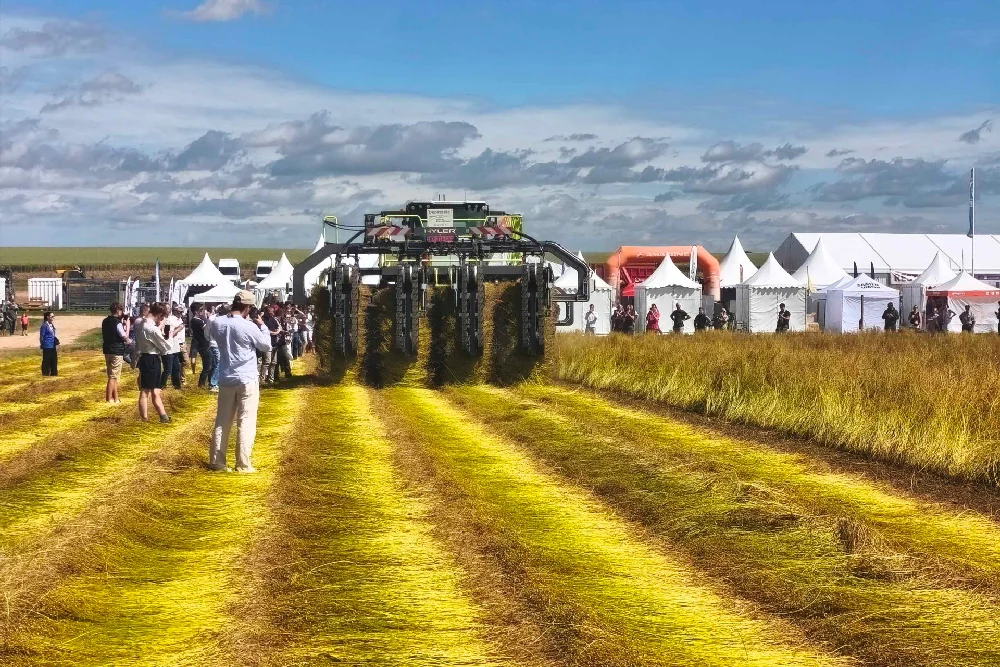
A manufacturer of flax machines wanted to renew the operator interface of an existing machine platform. The control system and the display stayed. What the operator sees was redesigned and rebuilt.
On that machine, status, process parameters, settings, alarms, diagnostics and manual control come together on one screen. We looked at how the operator uses the machine and built the HMI around that: the design, the Qt/QML application, the Linux image on the display, and the updates to machines already at customers.
The result
The everyday tasks come first. Status, the parameters that change during work, and alarms are within immediate reach. Settings and diagnostics remain available, one level deeper.
The existing display stays. The new interface runs on the industrial screen that was already on the machine, and talks to the existing control system. The manufacturer renews the operator interface and keeps the hardware.
A new version reaches the field. New HMI software goes to machines that are already in use, without anyone having to travel there. An update that does not complete leaves the previous working version on the machine.
What we built
The interface in Qt/QML
The screens are QML components for control, status, alarms and configuration. The interface requests values from a layer that talks to the machine control system. That way a screen can change while the link with the machine stays in place.
The image on the display
The display runs a Yocto image that we maintain. It contains the kernel, the hardware configuration, the graphics stack, the Qt runtime and the application. Every build can be reproduced, so a later revision of the display, a security update or a new application version has a fixed place.
Updates
The machines stay in use for years. The image includes remote updates, so bug fixes and new screens go from one place to the machines in the field. If an update fails, the machine returns to the version it ran before.