LVGL for embedded GUIs
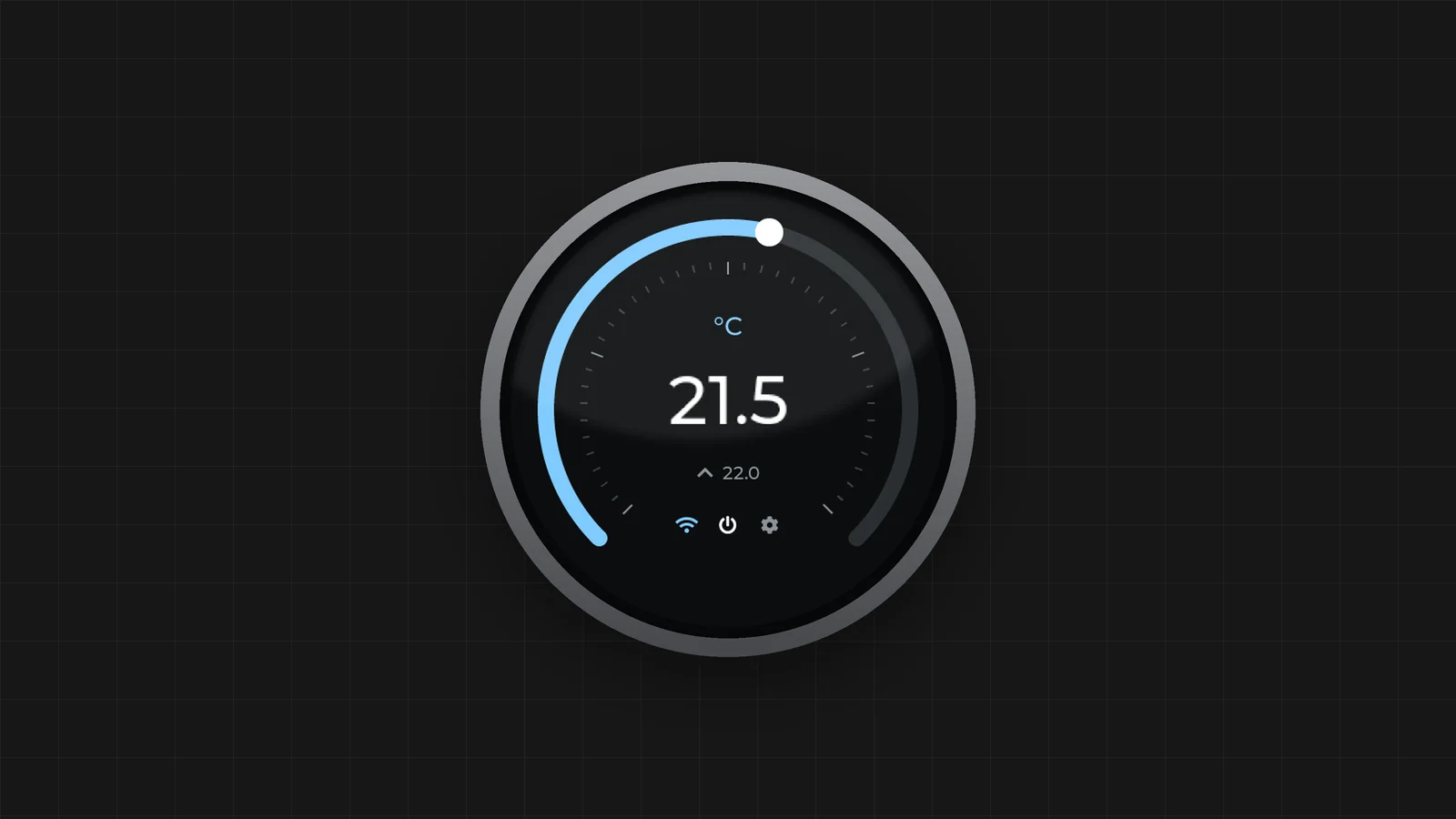
If you are building a device with a touchscreen, the question of whether it needs Linux comes up quickly. For the interface alone, it often doesn’t. LVGL is a graphics library written in C that runs directly on a microcontroller, and it lets you build a surprisingly rich interface without moving to a heavier processor.
That doesn’t make LVGL the right choice for every project. Below we look at when it fits well, what its license means for your product and how it compares to TouchGFX, Slint and Qt.
Where LVGL comes from
LVGL used to be called LittlevGL and was designed for systems with little memory. You can still see that in how it is put together: the core is hardware-independent and runs bare metal, on an RTOS or on Linux.
It has grown a lot since then. There are widgets, layouts, styles, animations and input handling, and it can draw with or without hardware acceleration. You’ll find it on small SPI displays, but also on MPUs. The interface does remain part of your firmware, living in the same program as the rest of the control logic.
The library itself is called LVGL Open and is free under the MIT license. LVGL also sells LVGL Pro, an editor with a complete workflow for designing screens. The code you create with it runs on the same library.
What it means for your processor
A 480×272 or 800×480 display usually runs fine on a generously specced STM32, or a comparable microcontroller from NXP or Renesas. LVGL then drives the display controller or a graphics accelerator directly. There is no kernel, compositor or distribution to maintain, the device boots quickly, and you keep the power consumption and bill of materials of a microcontroller.
LVGL really comes into the picture when your display asks too much for a simple MCU menu, while the rest of your product doesn’t actually need Linux.
What you do need to watch is memory. That is usually the first limit you hit, well before the number of widgets becomes an issue. An 800×480 display in 16-bit color takes about 750 kB for a single framebuffer, and twice that with double buffering. If your MCU has enough SRAM or external RAM, that works. A larger display, more color depth or lots of smooth animations at once will quickly push you towards external RAM or an MPU, whichever library you choose.
You can also use LVGL on Linux. For a simple fullscreen display that does one job, that works well: one process and few layers in between. Once cameras, a browser, containers, lots of storage or several programs sharing the same screen come into play, a full application framework will serve you better. At that point Qt and Slint are worth comparing again.
The license: free library, paid tools
LVGL Open is covered by the MIT license. In practice this means you can use it in closed commercial firmware, modify it and sell it, with no per-device royalty and no obligation to release your own code. You only need to keep the copyright notice and the license text with the software.
Qt and Slint work differently. There, the open source variant can have consequences for your own application, or you need a commercial license as soon as your product is closed.
LVGL Pro is mainly tooling. You get an editor, an XML workflow, a Figma integration and test automation. A small firmware team usually doesn’t need it. If you work with designers and have dozens of screens, translations and reusable components, hand-written C quickly becomes hard to keep track of, and that is where Pro does help.
The Pro Product license currently costs 20,000 dollars per product. You pay no per-device royalty and get a handful of seats and at least five years of updates. Evaluating the editor or using it non-commercially is free.
The alternatives
No alternative does exactly the same thing. They differ in the hardware they support, in how you build the screen and above all in the license.
TouchGFX is ST’s C++ engine, with a visual designer, and is fully tailored to STM32. If you are going with an STM32 anyway, the integration with Cube and with the graphics hardware really moves you forward, and within that ecosystem the tooling is free. The downside is that you are tied to that chip family. With LVGL it is easier to switch chips later.
Slint lets you describe the screen declaratively, a bit like QML, with the logic in Rust or C++. It runs on everything from microcontrollers to the desktop. The big difference with LVGL is the license. Closed software on desktop, mobile and web may use it royalty-free as long as you credit Slint, but embedded systems are excluded from that. For a closed embedded product you pay a per-device royalty or a one-time buy-out. You can also use Slint for free under GPLv3, but then your product falls under the GPL as well.
Qt for MCUs brings a QML-style way of working to powerful microcontrollers and is part of Qt for Device Creation. If your team already works with Qt and heavier tooling is not a problem, it is a logical choice. You don’t need Linux for it, but you do need a commercial Qt license.
Qt on Linux is in a different weight class, with networking, multimedia, IPC and an extensive application framework. If your product needs that processor and Linux anyway, Qt is often the best choice. For a controller that shows a few screens and talks to some peripherals, it is overkill.
| Framework | Suited for | Closed product |
|---|---|---|
| LVGL Open | MCU and RTOS, also a simple Linux display | MIT, no per-device royalty |
| LVGL Pro | Same runtime, for larger UI projects | Paid tooling, royalty-free |
| TouchGFX | HMI on STM32 | Free within the ST ecosystem |
| Slint | From MCU to Linux, declarative | GPL, or commercial with royalty |
| Qt for MCUs | Powerful MCU, QML-style workflow | Through Qt for Device Creation |
| Qt on Linux | HMI as a full application platform | LGPL or commercial, depending on the modules and the product |
Which one do you choose?
If your product can stay on a microcontroller, the bill of materials and boot time weigh heavily, and you don’t want to be tied to one chip family, LVGL is a strong choice, especially if your team is comfortable with C. The MIT license is a nice bonus, because it keeps you free for as long as the device is in service.
If it ends up being an STM32 anyway and you want the graphics hardware, evaluation boards and designer as one package, TouchGFX is worth a look.
Slint fits if you want an equally lightweight stack but prefer to build the screen declaratively, for example alongside Rust or C++, and the per-device royalty fits your cost price.
Qt for MCUs is interesting when a high-end microcontroller is enough and your team already knows Qt. Qt on Linux is the choice when you already need the processor and Linux for other reasons, and the display has to work together with networking, multimedia, cameras or multiple processes.
It helps to look at the product first and only then at the framework. How large will the display be, and does the framebuffer fit in your MCU’s memory? Do you need Linux for anything other than the interface? Do you want to be able to switch suppliers for a next hardware revision? Do designers and developers work on the screens together? And which license model suits the lifetime of your device: MIT, a free tool from the chip vendor as long as you stay with that family, or a per-device royalty?
At Invisto we look at this together with the rest of the device: the electronics, the processor, the firmware or the Linux BSP, and the updates.