YOLO on an embedded device
Object detection on an embedded device is surprisingly feasible today. Still, getting the YOLO model to run is only a small part of the work. In a real product, the camera input, video conversion, inference, rendering, streaming, application logic and deployment all have to work together efficiently and reliably. Below we walk through that chain, from camera image to a vision pipeline you can take into production with GStreamer, hardware acceleration and Yocto Linux.
YOLO no longer needs to run in the cloud
YOLO (You Only Look Once) is a family of neural networks for object detection. Thanks to smaller model variants, quantization and specialized accelerators, you can now run such models locally on an embedded Linux system. That makes applications possible such as object detection, quality inspection, people counting, vehicle detection and machine vision, without sending every video frame to the cloud.
Whether a processor can execute YOLO is not really the question that matters here. The product has to handle the complete chain within the available budget for power, heat and latency.
So the real question is whether the complete vision system reaches the required resolution, latency and frame rate.
Why inference at the edge?
- Lower latency. The device makes decisions locally, without a round trip over the network.
- Privacy. The raw video never has to leave the device.
- Less bandwidth. Events, counts or metadata are often enough, instead of a continuous video stream.
- Offline operation. The application keeps working without an internet connection.
- A predictable operating cost. Inference happens on the device itself.
Edge inference isn’t always the best solution either. If you need very heavy models, if the images have to be processed centrally anyway, or if latency and privacy hardly matter, inference in the cloud is sometimes simpler. So start from the application.
CPU, GPU and NPU: look beyond TOPS
Embedded platforms increasingly combine regular CPU cores with a GPU, an NPU or another accelerator. An i.MX8M Plus, for example, is interesting for compact vision applications because it has an NPU alongside its Cortex-A53 CPU. Other platforms, such as NVIDIA Jetson and systems based on Rockchip, Qualcomm or Intel, have their own accelerators and runtimes.
A theoretical accelerator figure tells only part of the story. Camera capture, decoding, scaling, color space conversion, tensor preparation, post-processing and rendering together weigh at least as heavily on the total latency.
GStreamer as the backbone of the video pipeline
In many AI demos all the attention goes to the neural network. In production the video pipeline is at least as important, and on embedded Linux GStreamer is particularly well suited for it. You use it to build capture, decoding, conversion, filtering, encoding, streaming and the integration with your application as a single pipeline.
Camera | vGStreamer capture / decode / resize | +----> YOLO inference ----> detections / events | +----> display / Qt HMI | +----> H.264/H.265 encoder ----> stream or recordingDepending on the platform, GStreamer uses V4L2, hardware decoders, hardware converters and platform-specific plugins. With an element like tee you send the same source efficiently to different processing paths. Through appsink and appsrc you integrate your own C/C++ code when inference or application logic happens outside the pipeline.
The hidden bottleneck: memory copies
A fast NPU doesn’t make up for an inefficient data pipeline. A naive implementation sometimes copies and converts a camera frame several times before it reaches the accelerator as a tensor.
Camera buffer | +-- copy --> GStreamer buffer | +-- copy --> OpenCV Mat | +-- convert --> RGB | +-- copy --> tensor | v NPUOn embedded hardware every copy costs CPU time and memory bandwidth. In a good architecture, frames therefore stay as long as possible in buffers the hardware can work with directly. DMA/DMABUF, hardware scaling and GStreamer plugins built specifically for the accelerator help here. Whether you actually achieve zero-copy depends heavily on the platform and the drivers, and you have to verify that in the concrete implementation.
Where OpenCV fits
OpenCV remains an excellent toolbox for classic computer vision, image processing and geometric operations. It just doesn’t have to manage the whole video pipeline. On embedded it is often more efficient to leave capture, decoding and conversion to GStreamer and the hardware accelerators, and to use OpenCV only where it really adds something.
Camera --> GStreamer --> hardware resize/convert --> appsink --> YOLO / OpenCVThe model is a system parameter
The YOLO model you choose affects accuracy, latency, memory use and power consumption. Smaller nano or small variants often suit an embedded application much better than a larger model that gains only a little quality. A few rules of thumb:
- Choose the input resolution based on the smallest objects you need to detect reliably.
- Measure the complete end-to-end latency, including everything around the inference itself.
- Look into quantization, for example to INT8, if the accelerator supports it efficiently.
- Decide how many inference frames per second the application really needs.
- Validate the accuracy again after every model conversion or quantization.
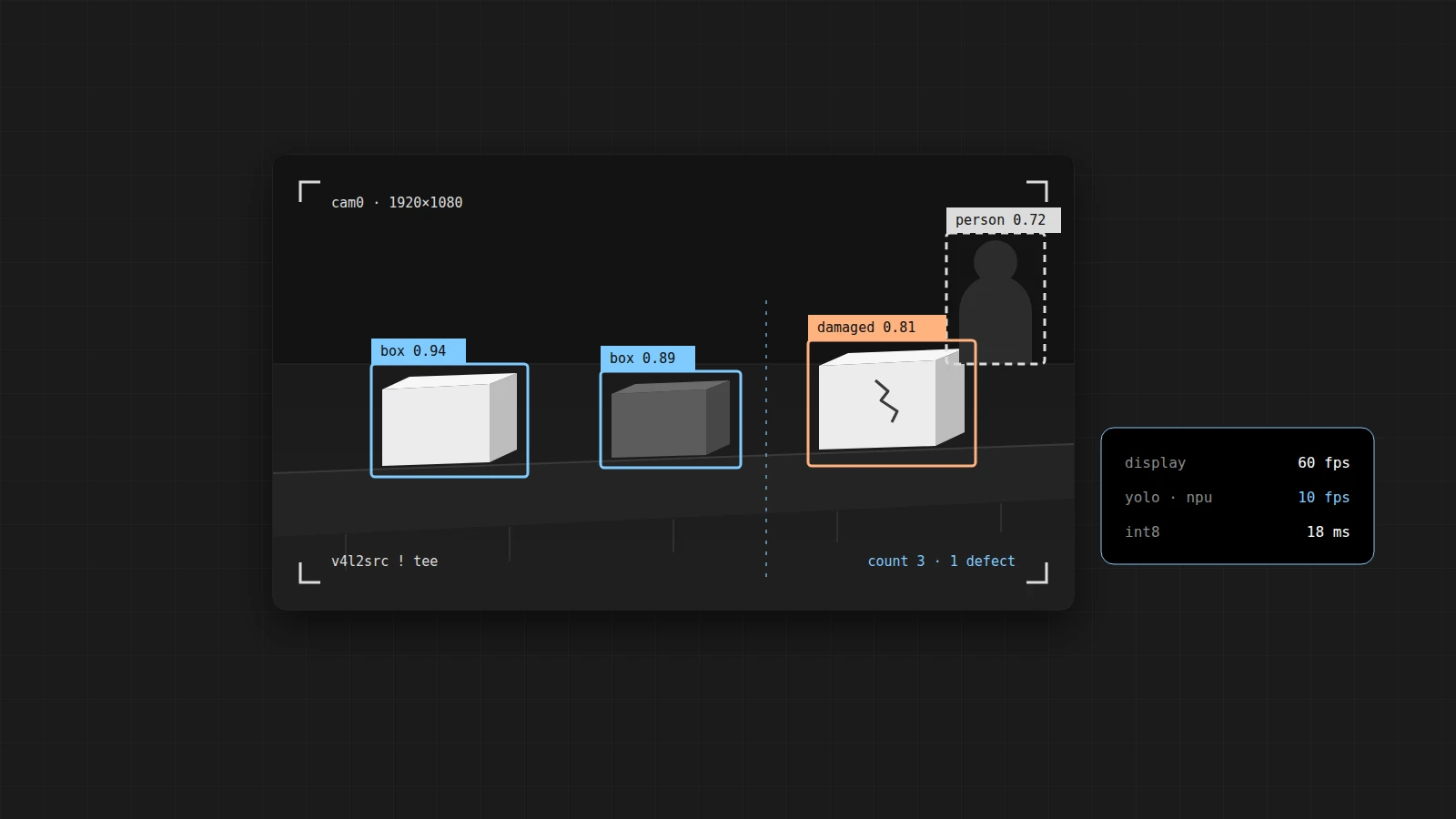
An important optimization is that video display and inference don’t have to run at the same frame rate. An HMI can show a smooth 30 or 60 fps while YOLO analyzes only 5 or 10 frames per second.
+----> Display @ 60 fpsCamera --> tee --+ +----> YOLO @ 10 fpsInference runtimes and hardware acceleration
The YOLO model and the runtime that executes it on the device are two different things. Depending on the platform, your deployment runs on ONNX Runtime, TensorRT, TensorFlow Lite, OpenVINO or a vendor NPU runtime. Model conversion and quantization are therefore part of the platform choice.
Which combination works best depends on the models you want to use, the supported operators, the available precisions, the tooling, BSP support and how mature the accelerator’s software is. A fast accelerator with a software stack that is hard to maintain can still be the wrong choice for an industrial product.
From bounding boxes to a real product
A proof of concept often stops as soon as bounding boxes appear on the image. For a product, that is where the work starts, because the detections still have to be turned into reliable application logic.
Camera --> GStreamer --> YOLO --> tracking / filtering --> application logic | +--> Qt HMI +--> MQTT / REST +--> local recording +--> cloud / telemetryThat involves, among other things:
- Filtering out false positives and setting confidence thresholds.
- Zones of interest and rules specific to the application.
- Object tracking with persistent IDs.
- Generating events instead of passing on raw detections.
- Local logging and diagnostics.
- Integration with the machine control, the HMI or the cloud.
- Managing both the software and the model versions.
Qt/QML, GStreamer and YOLO
In industrial applications you often see a live camera image with graphical overlays. The UI doesn’t need to push every frame through the model itself for that, because the video pipeline and the inference pipeline can run independently of each other.
Camera |GStreamer +--------------------> Qt / QML video output | +----> YOLO ----> bounding boxes / classes / tracking IDs | v QML overlayThe UI then mainly receives detection results: coordinates, classes, confidence and possibly tracking IDs. That keeps responsibilities separated, and the architecture scales and is easier to test.
Yocto: from demo to reproducible product
A Python demo on a development board is not yet a production platform. For an industrial device you need to be able to build, maintain and update the complete software stack reproducibly. Yocto is often a logical choice for that, especially if the hardware vendor provides its BSP and accelerator support as Yocto layers. You can read why we usually end up with Yocto for a product like this in Yocto vs Ubuntu vs Debian.
Application / Qt HMIYOLO modelGStreamer + pluginsInference runtimeDevice services-------------------------Custom Yocto Linux image-------------------------Embedded hardwareThe image or the update process then needs to include, among other things, the right GStreamer plugins, kernel and camera drivers, the accelerator runtime, the model files and the application components. On top of that, the software and the AI models each have their own version and lifecycle management.
Choose the hardware based on the application
You are better off not choosing an embedded vision platform on the basis of a processor benchmark. Start from the use case and determine, component by component, what the product needs.
| Component | What do you need to decide? |
|---|---|
| Camera | Resolution, number of cameras, interface, sensor format and frame rate |
| Vision | Object size, accuracy, model class and the required inference rate |
| HMI | Live video, overlays, display resolution and the desired UI frame rate |
| Video output | Events only, or also encoding, recording and streaming? |
| Platform | Thermal budget, fanless design, power supply and available interfaces |
| Lifecycle | BSP support, security updates, model and software updates |
Finally
Running YOLO on an embedded device is relatively straightforward. Building a reliable vision product around it is where the real engineering work lies. The model is just one component. The camera interfaces, GStreamer pipelines, hardware acceleration, memory bandwidth, inference runtimes, application logic, HMI software and the embedded Linux platform have to be designed as one system.
That is why at Invisto we look at embedded vision from start to finish: from the embedded hardware and a custom Yocto Linux to the GStreamer pipelines, AI inference, Qt/QML HMIs and cloud connectivity. That is how a working AI experiment grows into an industrial product you can maintain.